
JavaScript Error Tracking & Real-Time Monitoring
Enterprise-grade error tracking and monitoring system that captures JavaScript runtime errors, console errors, promise rejections, and network failures. Identify and resolve issues before they impact your users with comprehensive debugging capabilities.
Key Features
- JavaScript Error Tracking: Capture all JavaScript runtime errors
- Console Error Monitoring: Track console.error calls and warnings
- Promise Rejection Tracking: Monitor unhandled promise rejections
- Network Failure Detection: Identify failed network requests
- Error Categorization: Automatically categorize errors by type
- Session Correlation: Link errors to user sessions for context
- JIRA Integration: Create tickets directly from error logs
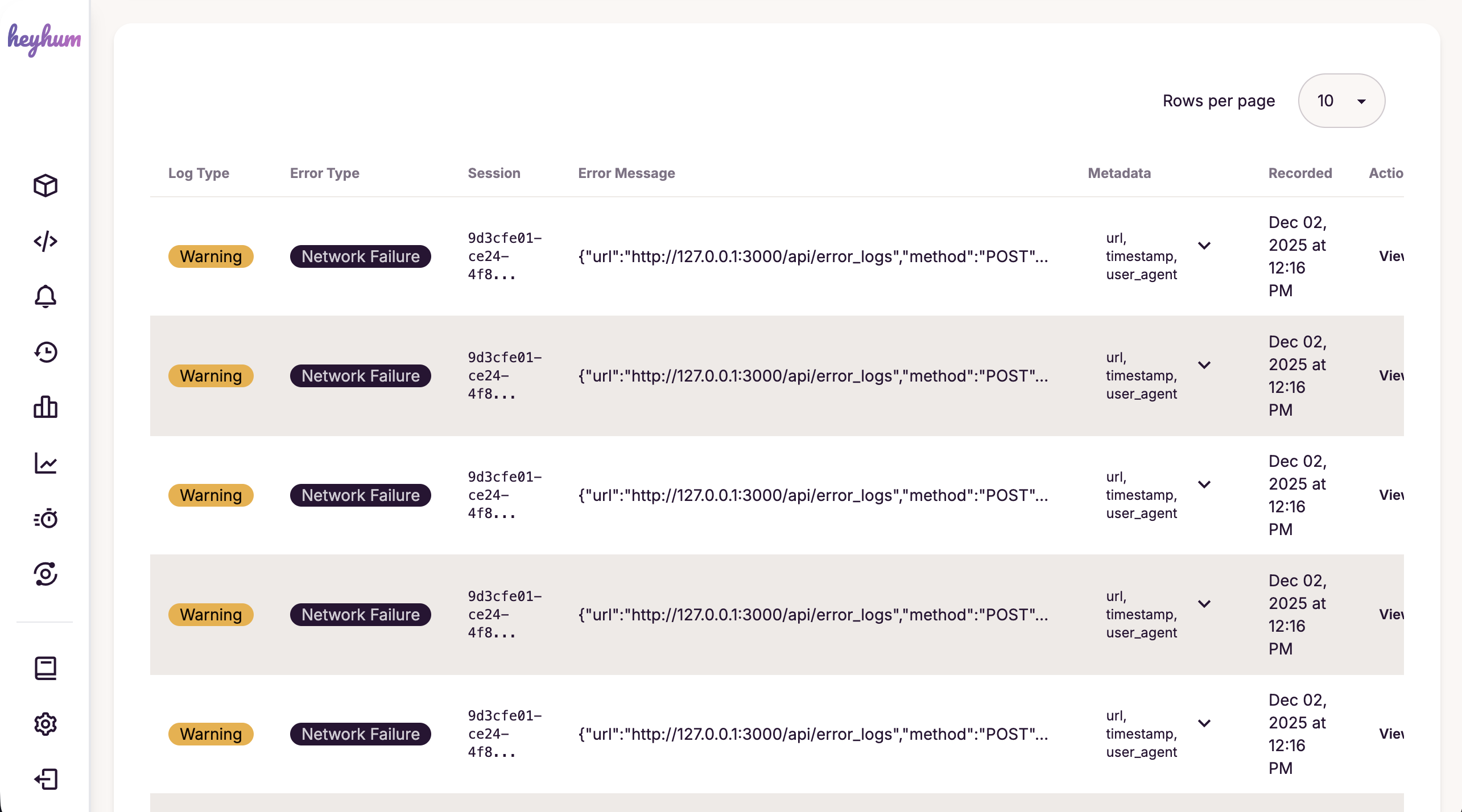
How It Works
Error Logs automatically captures errors from your website using global error handlers and console interception. Each error is logged with full context including stack traces, metadata, and session information, making it easy to identify and fix issues quickly.
Context Scope Control
Control which users or segments have error logging enabled:
- Everyone: Log errors for all users (default)
- User: Log errors only for a specific user ID
- Segment: Log errors only for a specific segment ID
Configure context scope in the Error Logs settings to focus on specific user groups for debugging.
JIRA Integration
Create JIRA tickets directly from error logs with a single click:
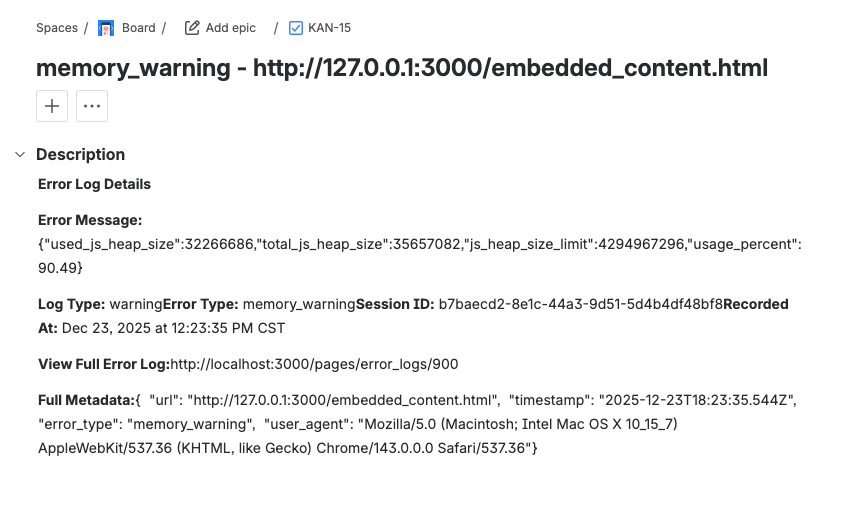
- One-click ticket creation from error log details
- Automatic error information population (stack trace, metadata, session info)
- Formatted ticket descriptions using JIRA's Atlassian Document Format
- Direct links to created tickets for easy tracking
Configure JIRA integration in your organization settings under Integrations. Requires JIRA API token authentication.
Use Cases
- Identify and fix JavaScript errors before users report them
- Monitor console errors and warnings in production
- Track network failures and API issues
- Create JIRA tickets directly from error logs
- Focus error logging on specific users or segments for targeted debugging
- Understand error patterns and frequency
- Correlate errors with user sessions for better debugging